From Diagnosis to Fix — Instantly
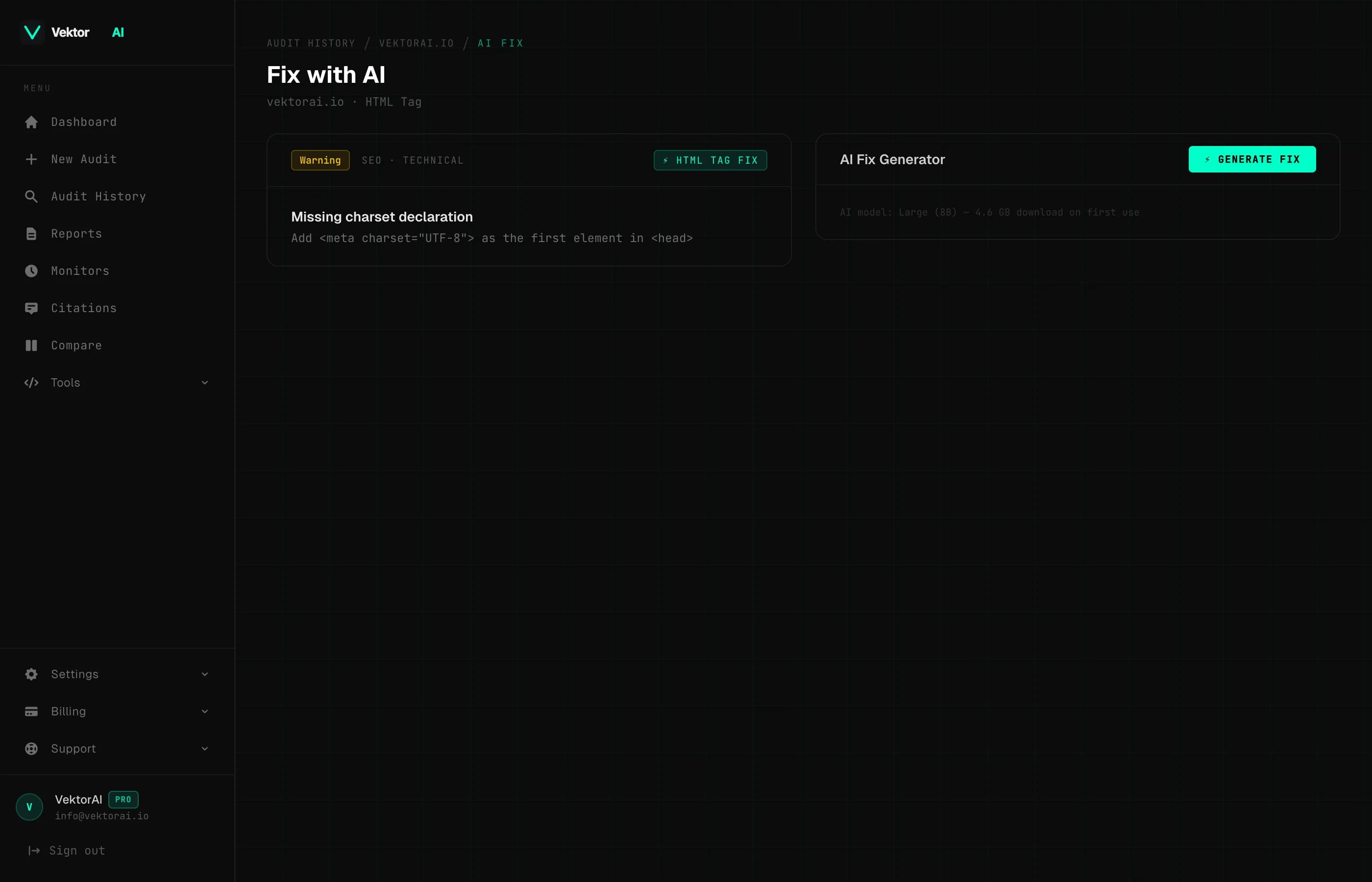
AI Fix is a context-aware code generation feature built into VektorAI that reads your page content and produces tailored fixes for every issue found during the audit. No generic templates. No guesswork — just copy-paste ready code.
Key Takeaways
What AI Fix Does
- +Reads your page context — title, headings, JSON-LD, body text — during the audit
- +Generates tailored code fixes, not generic templates
- +Supports meta tags, JSON-LD schemas, OG tags, alt text, and GEO content
- +Copy-paste ready HTML and JSON-LD output
Process
How It Works
Three steps from broken to fixed. The AI reads your page context and generates code you can copy directly into your source.
Audit identifies the issue
VektorAI runs 100+ checks and flags exactly what is missing or broken — "Missing FAQPage schema", "No meta description", "Empty alt attribute".
AI reads your page
Title, headings, first paragraph, existing markup, Open Graph tags, author info, and publish date are all extracted and passed as context.
Tailored fix generated
A copy-paste ready code block is generated specifically for your content — not a generic template, but a fix that references your actual page data.
Capabilities
What AI Fix Can Generate
From meta tags to full JSON-LD schema blocks — every fix is generated from your page's actual content, not placeholder text.
Meta Tags & Open Graph
- +Title tag rewrites optimized for length and keywords
- +Meta descriptions from your actual content
- +OG title, description, type, and image tags
- +Twitter Card markup (summary_large_image)
JSON-LD Schemas
- +FAQPage from your existing Q&A content
- +Organization with your site name and logo
- +Article with author, date, and headline
- +BreadcrumbList and WebSite schemas
GEO Content
- +Featured snippet paragraphs (40-60 words)
- +TL;DR summary sections
- +Question-format headings for AI engines
- +Citation-ready content blocks
Headings & Images
- +H1 tag fixes matching your page topic
- +Alt text generated from image context
- +Lazy loading attribute additions
- +Heading hierarchy corrections
The Difference
Context-Aware, Not Generic
Most tools give you a template. VektorAI reads your page and writes code that references your actual content.
<meta name="description"
content="[Enter your description here]" />
<script type="application/ld+json">
{"@type": "FAQPage",
"mainEntity": [/* add your questions */]}
</script>
Placeholder text. You still have to write every value manually. No context from your actual page.
<meta name="description"
content="Learn how to optimize your Next.js app for AI search engines with structured data, llms.txt, and GEO best practices." />
<script type="application/ld+json">
{"@type": "FAQPage",
"mainEntity": [{
"name": "What is GEO?",
"acceptedAnswer": ...}]}
</script>
Pre-filled with your page title, headings, and content. Copy-paste ready — no manual editing needed.
Availability
How AI Fix Runs
AI fix suggestions run locally in your browser using WebGPU — your page data never leaves your device. Available on saved audits when signed in. Pro users get unlimited access to AI fix suggestions across all audit categories.
FAQ
Frequently Asked Questions
How does AI Fix read my page?▸
What types of fixes can AI Fix generate?▸
Is AI Fix available on the free plan?▸
Are the fixes copy-paste ready?▸
Explore More Features
Get Started
Try It on Your Own Page
Run a free audit to see what issues exist, then upgrade to Pro to generate tailored fixes for every one of them.