Track Your Progress Over Time
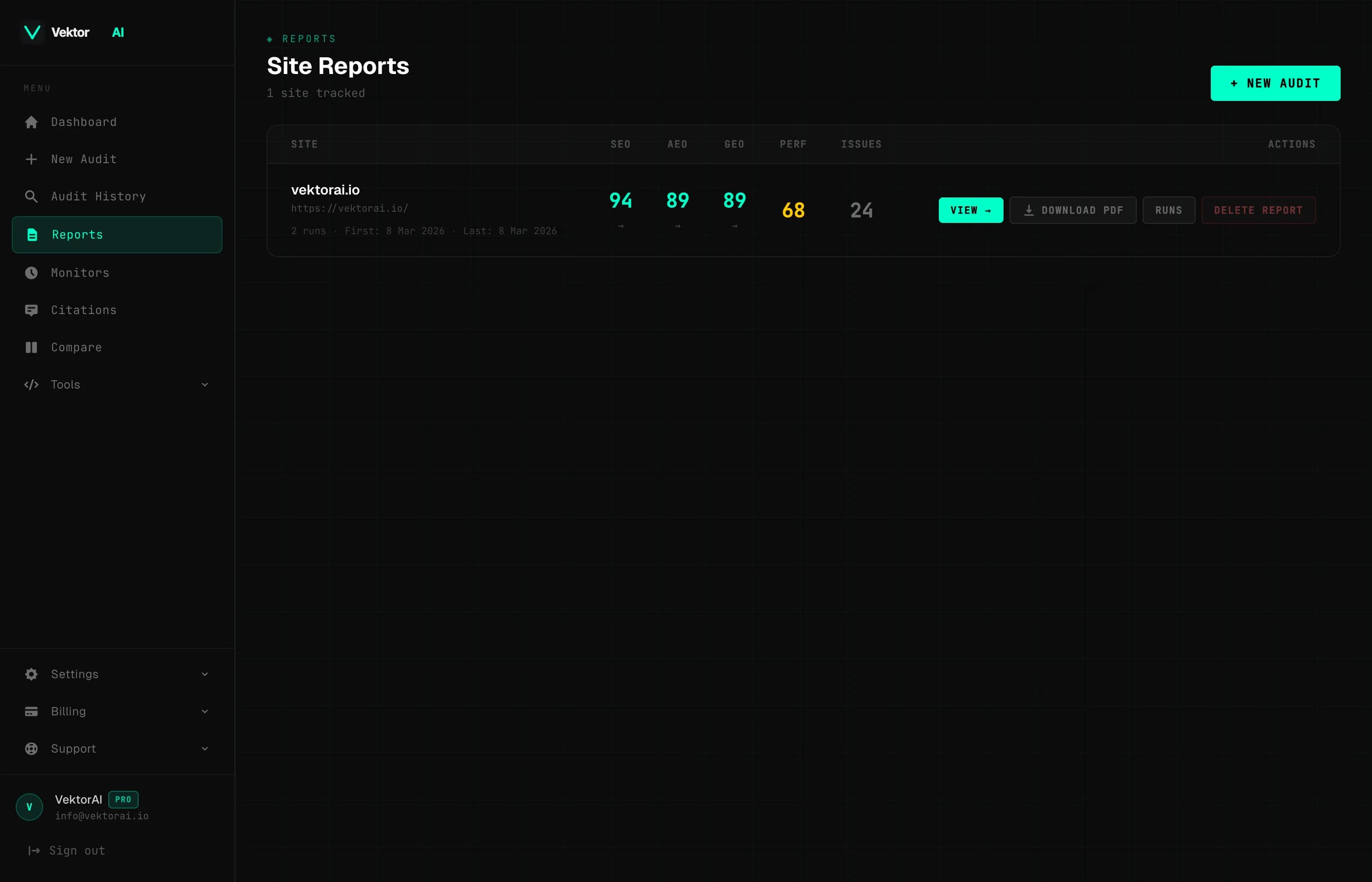
Reports groups all your audits by site so you can track score trends, compare runs, and measure the impact of your optimizations. See exactly how your SEO, AEO, GEO, and Performance scores change over weeks and months.
Key Takeaways
What Reports Does
- ▸Per-site score tracking with trend indicators
- ▸Full run history with score comparisons
- ▸Visual score trend charts across all four pillars
- ▸PDF report downloads for stakeholder sharing
Overview
What You Get
Everything you need to understand how your AI visibility evolves over time — grouped by site, visualized as trends, and exportable as PDFs.
Per-Site Score Tracking
All audits grouped by hostname with latest scores and trend arrows. See at a glance whether your site is improving or sliding across SEO, AEO, GEO, and Performance.
Run History
Every audit run preserved with full scores, issue counts, and timestamps. Compare any two runs side-by-side to measure the impact of changes you have made.
Score Trend Charts
Visual line charts showing how each pillar score changes across runs. Spot regressions early and validate that your optimizations are moving the needle.
PDF Downloads
Export any audit as a formatted PDF for clients, stakeholders, or records. Available with a Single Report purchase or on the Pro plan.
Process
How It Works
Three steps from first audit to a full historical view. Just run audits — VektorAI handles the grouping, trending, and exporting.
Run audits on any URL
Paste any URL and run the full 100+ check audit. Every run is automatically saved to your account with a full score breakdown.
VektorAI groups results by site
All audits sharing the same hostname are automatically grouped into a single site report — no manual tagging or folder setup needed.
Track trends and export reports
View score trend charts across all four pillars, compare runs side-by-side, and export any audit as a formatted PDF for stakeholders.
FAQ
Frequently Asked Questions
How are audits grouped into reports?▸
Can I compare two audit runs?▸
Are PDF downloads available on the free plan?▸
How far back does the run history go?▸
Explore More Features
AI Visibility Audit
100+ checks across SEO, AEO, GEO & Performance
AI Fix Suggestions
Context-aware fixes generated from your content
Competitor Compare
Side-by-side scores and gap analysis
Scheduled Monitors
Automated re-audits with score trend tracking
Generator Tools
8 tools for SEO, AEO & GEO optimization
Get Started
Start Tracking Your Progress
Run a free audit to get your baseline scores, then track how they improve over time as you apply fixes and optimizations.