Documentation
PROWhat is AI Fix
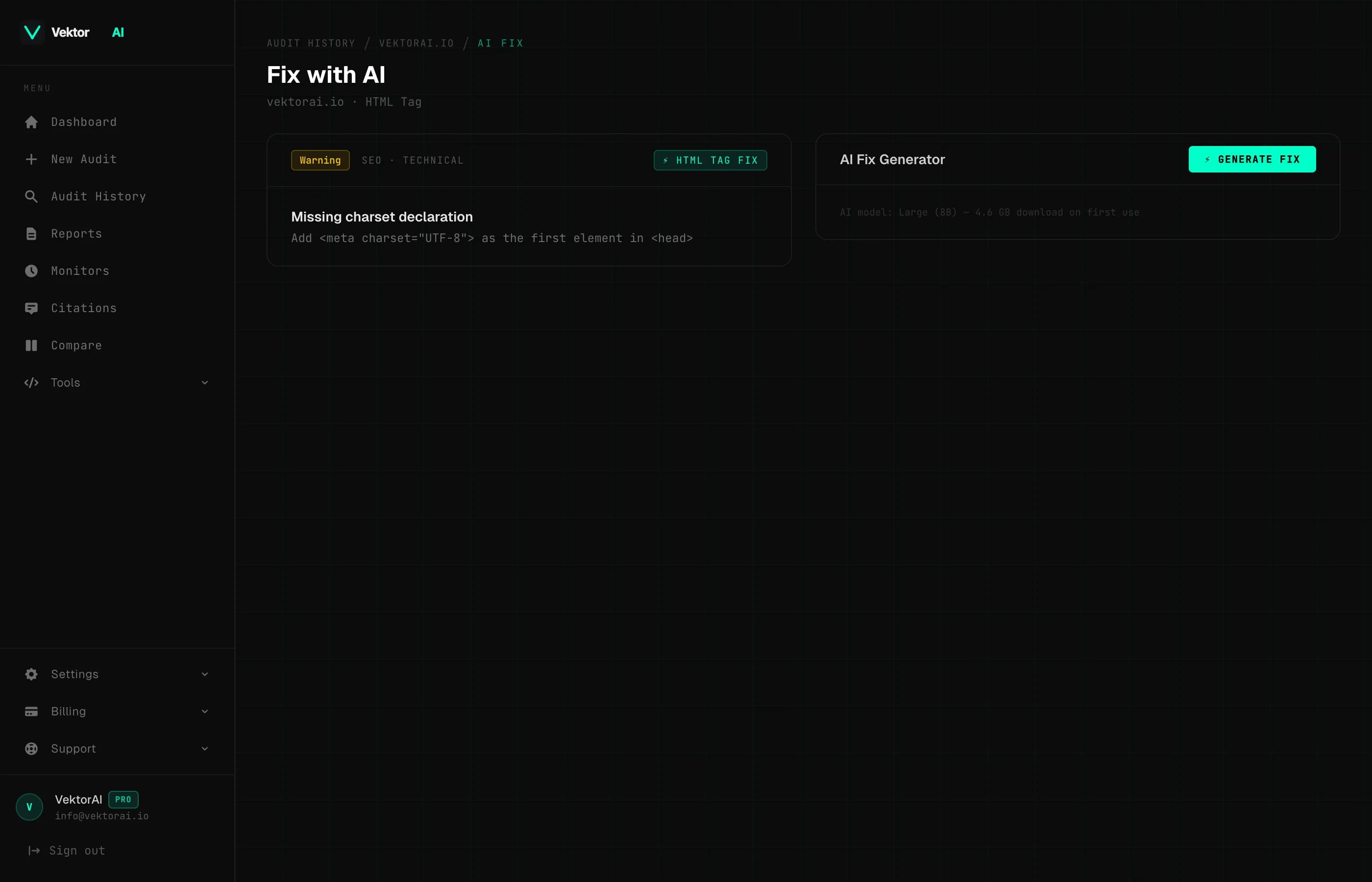
AI Fix generates context-aware, copy-paste ready code fixes for every issue found during an audit. It reads your page content and produces tailored fixes — not generic templates. Available to Pro users. Research by GitHub (2024) shows that context-aware AI code suggestions are accepted without modification at significantly higher rates than generic template-based approaches.
TL;DR: AI Fix uses WebGPU to generate context-aware code fixes directly in your browser — no data leaves your device. Available on Pro.
What AI Fix Does
When VektorAI audits a page, it identifies issues across SEO, AEO, GEO, and technical categories. AI Fix takes those findings a step further: it generates actual code you can paste directly into your page source to resolve each issue.
Unlike generic fix templates that leave you with placeholder text, AI Fix reads your page's real content — the title, headings, body text, existing structured data — and writes fixes that reference your actual data. The output is ready to use immediately with no manual editing required.
AI Fix is available on saved audits for users on the Pro plan. For instance, if your page title is 'Best Coffee Shops in NYC', AI Fix generates a meta description referencing your actual content rather than a generic placeholder.
"On-device AI inference represents a paradigm shift in web privacy — user data never leaves the browser."
— W3C WebGPU Working Group
How It Works
AI Fix uses WebLLM to run AI inference directly in your browser via WebGPU. This means the language model runs entirely on your device — no page data is ever sent to an external server. According to the W3C WebGPU specification, browser-based GPU acceleration enables real-time AI inference without server round-trips.
During the audit, VektorAI extracts key context from your page and stores it alongside the audit results. When you click AI Fix on a specific issue, that context is passed to the local model, which generates a tailored fix based on your page's actual content.
Page Context Extracted
During the audit, VektorAI extracts the following signals from your page. This context is stored in the audit results and used by the AI model to generate relevant fixes.
- +Title tag
- +Meta description
- +H1 heading
- +H2 headings (all)
- +First paragraph of body content
- +Existing JSON-LD structured data
- +Open Graph tags (og:title, og:description, og:type)
- +Language attribute (html lang)
- +Author name (meta author)
- +Published date (article:published_time, meta date, or time element)
- +Site name (og:site_name)
Three Fix Tiers
Not every fix needs AI. VektorAI uses a tiered system to determine the best approach for each issue.
Tier 1 — Deterministic Fixes
Simple HTML tag fixes that do not require AI. These are pre-computed during the audit and are available instantly. Examples include adding a viewport meta tag, setting the charset declaration, or adding a missing canonical link.
<!-- Example: Tier 1 deterministic fix -->
<meta name="viewport" content="width=device-width, initial-scale=1" />
Tier 2 — Content-Aware Fixes
Fixes that require understanding your page content. The AI model reads your title, headings, and body text to generate relevant output. Categories include:
- +Title tag — rewritten for optimal length and keyword placement
- +Meta description — generated from your actual page content
- +Headings — H1 corrections based on your page topic
- +Images — alt text generated from surrounding content context
<!-- Example: Tier 2 content-aware meta description -->
<meta name="description"
  content="Learn how to optimize your Next.js app for AI search
  engines with structured data and GEO best practices." />
Tier 3 — Structured Data Generation
Full JSON-LD schema blocks generated from your page content. The AI model analyzes your headings, body text, author information, and existing markup to produce valid structured data. Supported schemas include:
- +FAQPage — generated from question-answer patterns in your content
- +Organization — uses your site name, logo, and entity information
- +Article — includes headline, author, published date, and description
- +BreadcrumbList — navigation path based on your URL structure
<!-- Example: Tier 3 JSON-LD generation -->
<script type="application/ld+json">
{
  "@context": "https://schema.org",
  "@type": "FAQPage",
  "mainEntity": [{
    "@type": "Question",
    "name": "What is AEO?",
    "acceptedAnswer": {
      "@type": "Answer",
      "text": "Answer Engine Optimization is the practice
        of optimizing content for AI-powered search..."
    }
  }]
}
</script>
Categories That Get AI Fixes
AI Fix covers the following audit categories. Each category uses different page context signals to generate the most relevant fix.
- +Open Graph — uses title, H1, meta description, first paragraph, og:type, site name, and language
- +Twitter Card — uses title, H1, meta description, and first paragraph
- +Author & Entity — uses title, H1, author name, published date, and site name
- +Technical — uses title, H1, and first paragraph to infer language and context
- +Meta — uses the page title for tag generation
- +Headings — uses the page title and existing heading content
- +Images — uses surrounding content to generate descriptive alt text
- +Structured Data — uses all available page context for JSON-LD generation
Performance Issues
How to Use AI Fix
Run an audit
Go to your Dashboard and run an audit on any URL. The audit is saved to your account automatically.
Click AI Fix on an issue
Open the audit report and find an issue that supports AI Fix. Click the "AI Fix" button next to the issue. AI Fix links are only available on saved audits in the dashboard.
Wait for model to load
The first time you use AI Fix, the model is downloaded and cached in your browser. You will see a "Preparing fix..." progress bar. Subsequent uses load much faster from cache.
Copy the generated fix
Once the fix is generated, copy the code block and paste it into your page source. The fix is tailored to your content and ready to use without modification.
Browser Requirements
AI Fix requires a browser that supports WebGPU, the modern GPU acceleration API used for local AI inference.
- +Google Chrome 113 or later
- +Microsoft Edge 113 or later
- +Other Chromium-based browsers with WebGPU enabled
Privacy
How does AI Fix protect my data?
AI Fix runs entirely in your browser using WebLLM and WebGPU. No page content, audit data, or generated fixes are transmitted to any server for AI processing. The model weights are downloaded once and cached locally. Your data stays on your device at all times during the fix generation process.