Documentation
PROGuide to SEO & AEO Generators
VektorAI includes 8 generator tools that create ready-to-use files, meta tags, and diagnostic reports for your site. All tools are accessible from Dashboard → Tools.
TL;DR: VektorAI includes 8 free generator tools for llms.txt, JSON-LD schemas, robots.txt, sitemaps, OG tags, favicons, heading analysis, and page speed checks. Available to Pro users from the dashboard.
How Generators Work
How do the generators work?
Each generator takes a URL or content input, analyzes your page, and produces output you can copy and paste directly into your codebase. There is nothing to install — everything runs in the browser and generates standards-compliant output. According to Google's Search Central documentation, pages with valid structured data are eligible for rich results, which can increase click-through rates by up to 30%.
“Structured data markup helps search engines understand page content, enabling rich results and improving click-through rates by up to 30%.”
— Google Search Central
All 8 Tools
llms.txt Generator
Creates a structured llms.txt file that helps AI crawlers discover and understand your site content. The llms.txt standard is emerging as the way to tell large language models what your site is about — similar to how robots.txt guides traditional crawlers.
How to use
Enter your URL and the generator will crawl your site, extract key pages and content summaries, and produce a ready-to-use llms.txt file. Copy the output and place it at the root of your domain (e.g. yoursite.com/llms.txt).
Output
A plain-text llms.txt file formatted to the llms.txt specification.
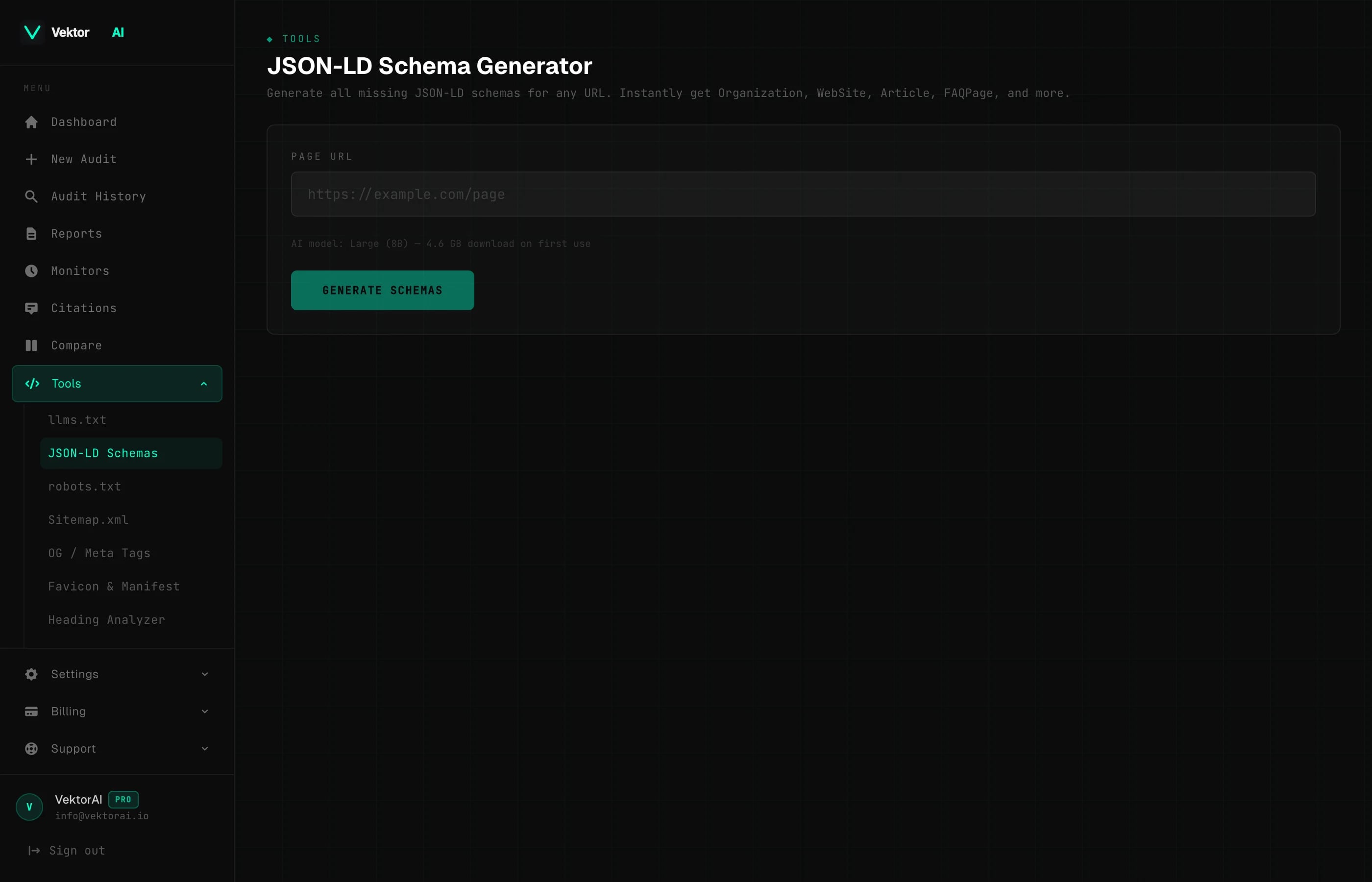
JSON-LD Schema Generator
Auto-generates structured data schemas that help search engines and AI models understand your page content. Supports FAQPage, Organization, Article, BreadcrumbList, and WebSite schema types.
How to use
Enter your URL and select the schema type you need. The generator reads your page, extracts relevant data (titles, descriptions, authors, dates, breadcrumbs), and builds the JSON-LD block automatically.
Output
A valid JSON-LD script tag you can paste directly into your page's <head> section.
robots.txt Generator
Creates a robots.txt file that properly allows AI bots — including GPTBot, ClaudeBot, PerplexityBot, and Google-Extended — while blocking unwanted crawlers. Getting this right is critical for AI visibility: if your robots.txt blocks AI crawlers, your content will not appear in AI-generated answers.
How to use
Enter your domain and configure which bots to allow or block. The generator provides sensible defaults that maximize AI discoverability while keeping unwanted scrapers out.
Output
A complete robots.txt file ready to deploy at your domain root.
Sitemap.xml Generator
Crawls your site and generates a valid XML sitemap with proper <lastmod>, <changefreq>, and <priority> tags. A well-structured sitemap helps both traditional search engines and AI crawlers find and index all of your important pages.
How to use
Enter your site URL and the generator will crawl discoverable pages, determine modification dates, and assign priority values based on page depth and structure.
Output
A standards-compliant XML sitemap you can save as sitemap.xml and submit to search engines.
OG / Meta Tag Generator
Generate and preview Open Graph and Twitter Card meta tags. See exactly how your page will appear when shared on social media platforms like Facebook, Twitter/X, LinkedIn, and messaging apps.
How to use
Enter your URL or fill in the fields manually (title, description, image URL, type). The generator produces the full set of og: and twitter: meta tags along with a live preview card showing how the link will render on social platforms.
Output
A set of <meta> tags to paste into your page's <head> section, plus a visual preview.
Favicon & Manifest Builder
Create favicon assets and a web app manifest (manifest.json) for Progressive Web App support. Covers all required icon sizes for browsers, home screen bookmarks, and app install prompts.
How to use
Upload an image or enter an image URL. The builder generates favicons in the required sizes (16x16, 32x32, 180x180, 192x192, 512x512) and produces a manifest.json file with your app name, theme color, and icon references.
Output
Downloadable favicon files, the corresponding <link> tags for your HTML head, and a manifest.json file.
Heading Analyzer
Visualize your page's heading hierarchy from H1 through H6. A correct heading structure is important for both accessibility and SEO — search engines and AI models use headings to understand the topical structure of your content.
How to use
Enter a URL and the analyzer will extract every heading on the page, display them in a tree view, and flag issues like skipped heading levels, missing H1 tags, duplicate headings, and empty headings.
Output
A visual heading tree with inline warnings for any structural issues found.
Page Speed Checker
Quick Core Web Vitals lookup powered by the Google PageSpeed Insights API. Core Web Vitals are a ranking factor for Google and increasingly referenced by AI models when evaluating page quality.
How to use
Enter a URL and the checker will query the PageSpeed Insights API for both mobile and desktop results. No configuration required.
Output
Key metrics including LCP (Largest Contentful Paint), CLS (Cumulative Layout Shift), TBT (Total Blocking Time), FCP (First Contentful Paint), and TTFB (Time to First Byte), with pass/fail indicators for each.
Example: llms.txt Output
Here is what a generated llms.txt file looks like for a typical marketing site:
# Site: example.com
# Description: Example Company — project management software

## Main Pages
- /: Homepage — overview of features and pricing
- /features: Product features — task boards, timelines, reporting
- /pricing: Plans and pricing — Free, Pro, Enterprise tiers
- /docs: Documentation — API reference, guides, tutorials
- /blog: Blog — product updates, industry insights

## Key Content
- /blog/getting-started: Getting Started Guide
- /docs/api: REST API Reference
- /docs/webhooks: Webhook Integration Guide
Example: JSON-LD Schema Output
A FAQPage schema generated for a page with two questions. For instance, the JSON-LD generator can produce a complete Article schema from your page metadata in seconds, eliminating manual coding errors.
<script type="application/ld+json">
{
  "@context": "https://schema.org",
  "@type": "FAQPage",
  "mainEntity": [
    {
      "@type": "Question",
      "name": "What is AEO?",
      "acceptedAnswer": {
        "@type": "Answer",
        "text": "Answer Engine Optimization (AEO) is the practice of optimizing content so it appears in AI-generated answers."
      }
    },
    {
      "@type": "Question",
      "name": "How is AEO different from SEO?",
      "acceptedAnswer": {
        "@type": "Answer",
        "text": "While SEO targets search engine result pages, AEO targets AI answer engines like ChatGPT, Perplexity, and Google AI Overviews."
      }
    }
  ]
}
</script>
Accessing the Tools
All 8 generators are available from your dashboard:
- 1
Log in and go to your Dashboard.
- 2
Click Tools in the sidebar navigation.
- 3
Select any generator from the grid. Enter a URL or content, and copy the generated output.
Tips
- +Run the Heading Analyzer after making structural changes to catch skipped levels before they affect your scores
- +Use the JSON-LD Schema Generator alongside AI Fix — AI Fix handles inline schema suggestions, while the generator lets you build standalone schemas for any page
- +Generate and deploy your llms.txt file early — AI crawlers are already reading it and the earlier you publish one, the sooner your content becomes discoverable
- +Use the OG / Meta Tag Generator to preview how links will look before sharing them on social media or in presentations
- +Combine the Page Speed Checker with VektorAI audit results for a complete picture of both content quality and technical performance
According to Google's Search Central documentation, implementing comprehensive structured data can significantly improve how search engines and AI systems understand and surface your content.